
Bionic Cloud is the browser-based console used to manage audience messages and live programme interaction.
Bionic Cloud is designed specifically for fast-moving live production environments and large-scale audience interaction workflows.
It brings together messages from WhatsApp, SMS, apps, smart speakers, and producer notes into one shared workspace for production teams and presenters.
Getting Started
Open BBC Bionic Cloud at bbc.bionic.cloud
- Sign in using your BBC account
- Select your Brand and Team
- Review incoming audience messages in the Message Queue
- Move approved items to the On Air Queue for presenters
- Use Presenter View during live programmes for a simplified on-air experience
- If you need help, contact your local Super User or follow the support guidance provided by the BBC
You do not need to learn every feature immediately. Bionic Cloud is designed to support familiar live production workflows while introducing additional tools and platforms over time.
Main Areas of Bionic Cloud
The Bionic Cloud interface is organised around a small number of core areas used during live production. Most users will spend their time reviewing incoming audience messages, preparing selected items for air, and coordinating with their team during programmes.
Message Queue
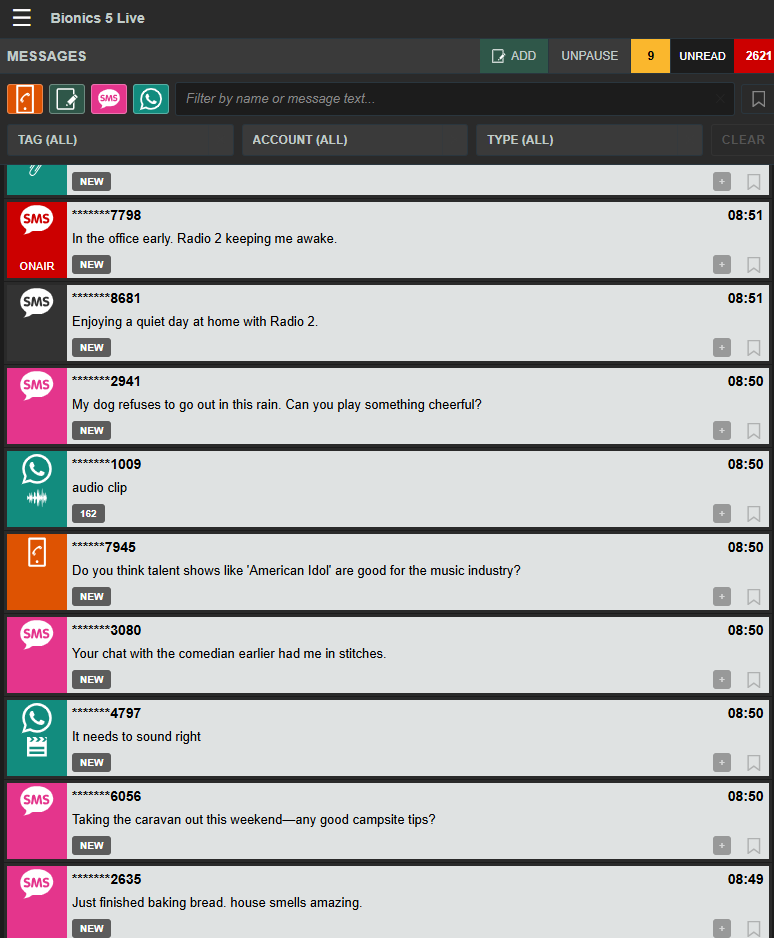
On the left hand side of the screen the Message Queue is where incoming audience messages appear from all sources.
You can review, tag, edit, bookmark, search, filter, check sender history, preview media, and select items to move to the On Air Queue.
Read the Message Queue guide: here
On Air Queue
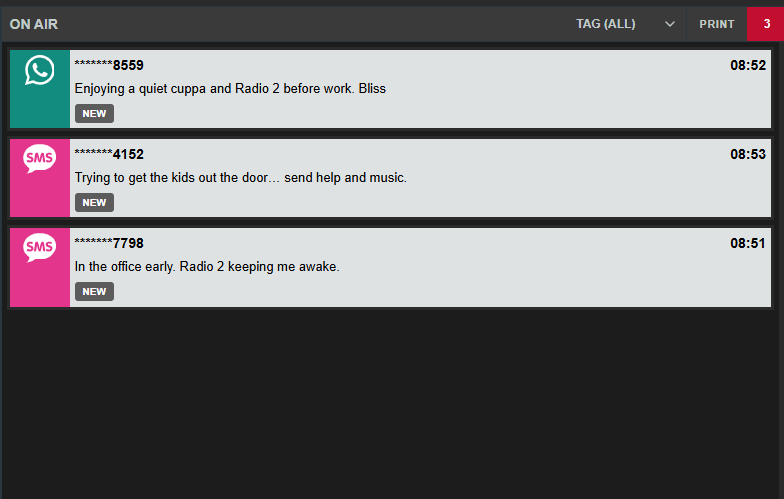
The On Air Queue contains the curated messages selected for use by presenters.
Producers can organise the order, update items and remove messages to keep presenters focused on approved content.
Read the On Air Queue guide: here
Team Chat
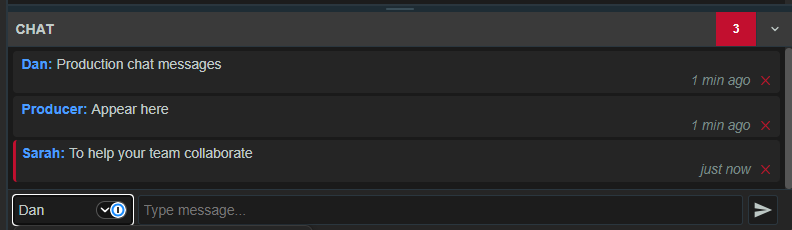
To the lower right, Team Chat allows producers, presenters, and other members of the production team to coordinate privately during a programme.
It is designed for quick team communication without needing a separate messaging tool. The Chat is a private channel which is separate for each team.
Read the Team Chat guide: here
Presenter View
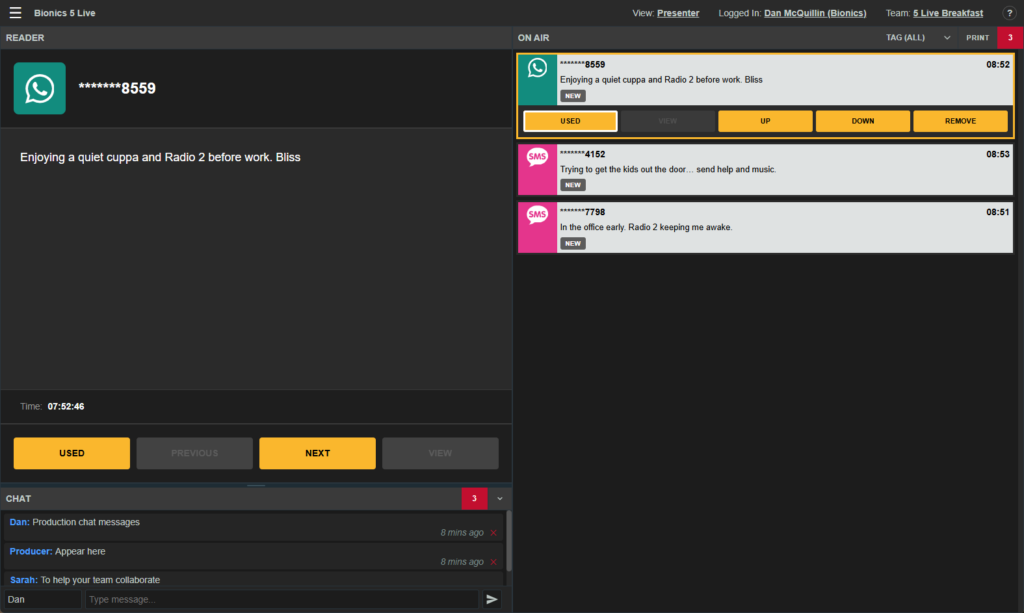
The alternative Presenter View gives presenters a clean, simplified view that focusses on curated/approved content.
It shows only the items placed in the On Air Queue, helping presenters stay focused on the live programme.
Read the Presenter View guide: here
Working in Bionic Cloud
The interface supports keyboard navigation, media preview, sender information, permissions-based tools, and responsive layouts for smaller or docked screens.
Additional features and workflows are covered throughout the guides in this help centre.