
Manual messages are useful when you need to add information that has not come in through SMS, WhatsApp, or another connected source, but still needs to be handled in the same workflow.
For example, you might use a manual message for:
- a note taken from a phone call
- information passed to the producer verbally
- a presenter cue
- content copied from another source
- an internal note that needs to be treated like a queue item
To add a manual message, click Add in the header above the Message Queue.
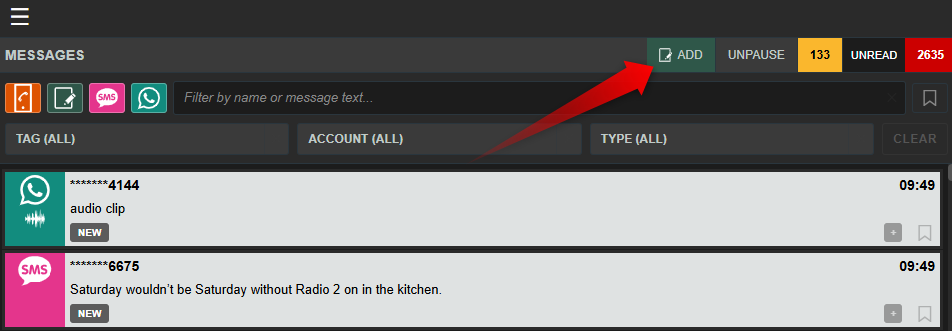
Pressing ADD opens a new manual message for you to enter into the system.
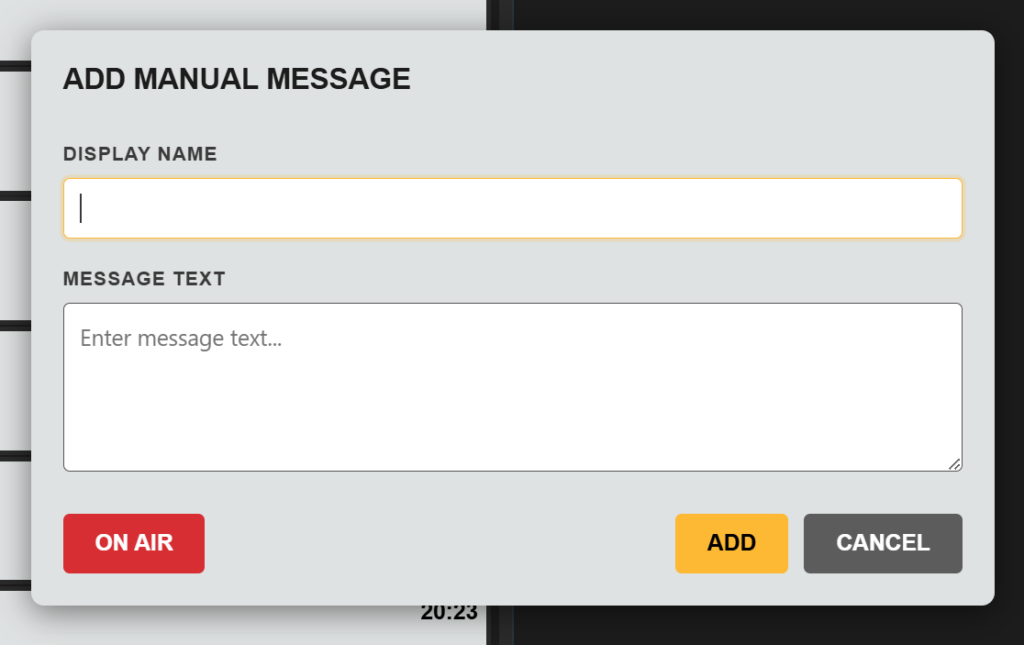
You can then type the display name and message content you want to appear in the queue.
Click Add to post the message into the Message Queue or ON AIR to add to the message Queue and immediately add to the On Air Queue
Once created, the manual message appears in the Message Queue and can be worked with in the same way as other messages.
You can:
- select it
- edit it
- tag it
- add notes
- send it to the On Air Queue
This makes manual messages a simple way to bring important information into the live production workflow.