
The Mute function temporarily suppresses unwanted content for a period of 3 hours.
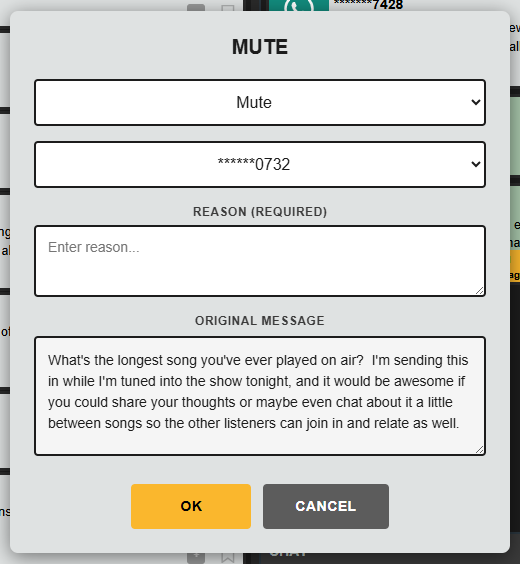
A mute can be applied to either:
- The sender’s phone number or account
- The specific message text itself
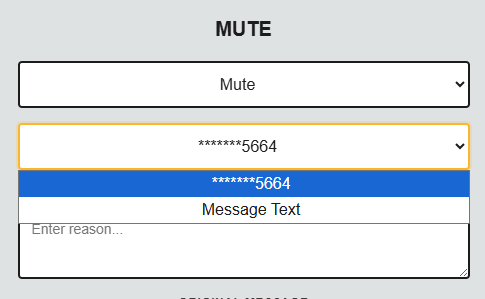
Message text muting is useful where repeated campaign or spam-style submissions are being received using the same wording.
While muted:
- Matching messages will not appear in the queue for your team
- The mute automatically expires after 3 hours.
Requesting a Block
All users can request that a contributor be permanently blocked.
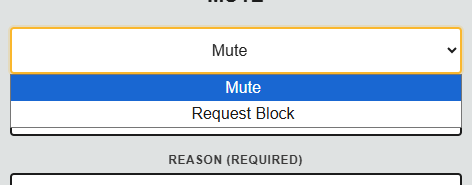
When requesting a block:
- Add a note explaining the reason for the request
- Submit the request for review
Users with block permissions can then approve and apply the permanent block.
Permanent Blocking
Users with the appropriate permissions may permanently block contributors.
When applying a block:
- Select the appropriate response message template to send to the contributor
- Add a note explaining the reason for the action
Permanent blocks prevent future messages from that contributor reaching the system.
Adding Notes
Whenever Muting, requesting or applying a block, a note should always be added.
Notes should:
- Be clear and factual
- Avoid personal opinions or emotional language
- Explain the reason for the moderation action
These notes may form part of audit records and could be disclosed as part of a Freedom of Information request or compliance review.