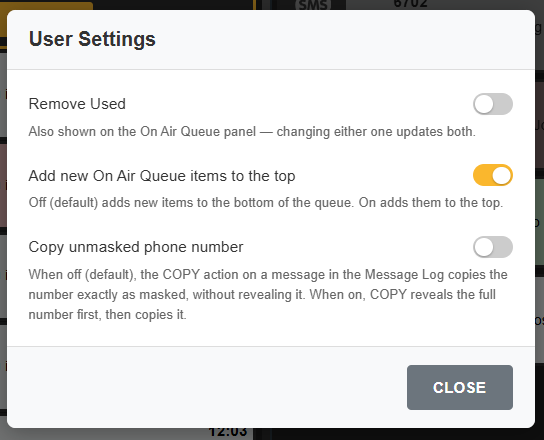
User settings enables the customisation for your user of certain functions :
Remove Used :
Chooses whether items are removed immediately from the On Air Queue when marked as USED (ON/DEFAULT) or dimmed for later removal (OFF)
Add new On Air Queue items to the top
Selected whether new items sent to the On Air queue by pressing ON AIR go to the TOP (on) or BOTTOM (OFF/Default)
Copy unmasked phone number
Selects whether the copy function on a selected message reveals the full number before making a copy (ON) or copies the masked number (OFF/DEFAULT).