
A Draw only receives incoming messages while it has an active schedule.
Schedules must fall within the Draw’s overall Start Date and End Date. This allows you to create a Draw in advance and control exactly when entries are accepted.
A Draw can have one or more schedules, making it possible to run the same contest across several programmes, days or time periods.
To add a schedule, open the Draw and select Add Schedule.
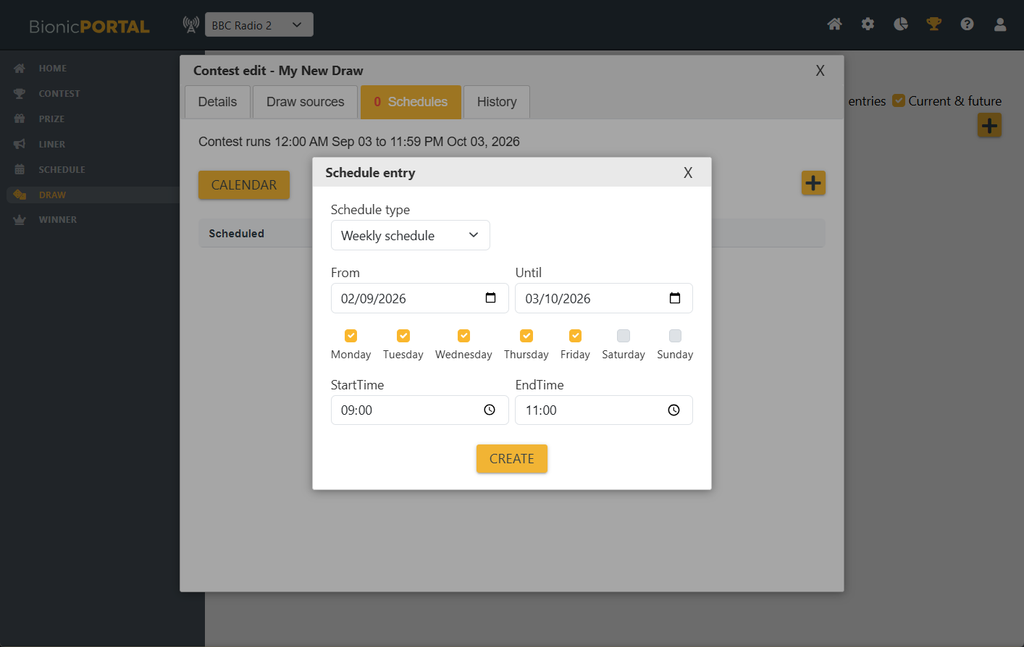
You can then choose the type of schedule and define when the Draw should be active.
Weekly Schedule
A Weekly Schedule allows you to select specific days of the week together with a start and end time.
For example, a Draw could be scheduled to receive messages:
- Monday to Friday from 10:00 to 12:00
- Every Saturday from 14:00 to 16:00
- During a regular weekly programme
The schedule repeats each week for as long as it falls within the Draw’s valid date range.
Starting a Draw Immediately
Use Create Draw from an existing valid Draw when you want to create a live schedule starting immediately.
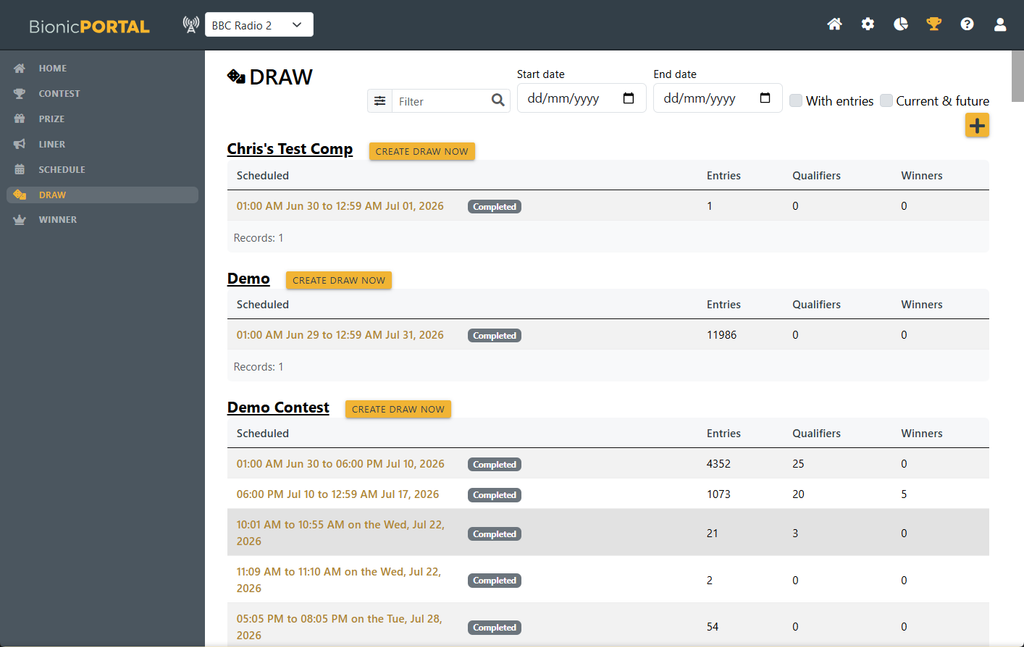
The Draw will then begin accepting eligible incoming messages from its configured Sources.
Multiple Schedules
A Draw may contain multiple schedules.
This is useful where the same competition runs at different times, across several programmes, or on selected days during a longer campaign.
Messages are only accepted into the Draw while at least one of its schedules is active.