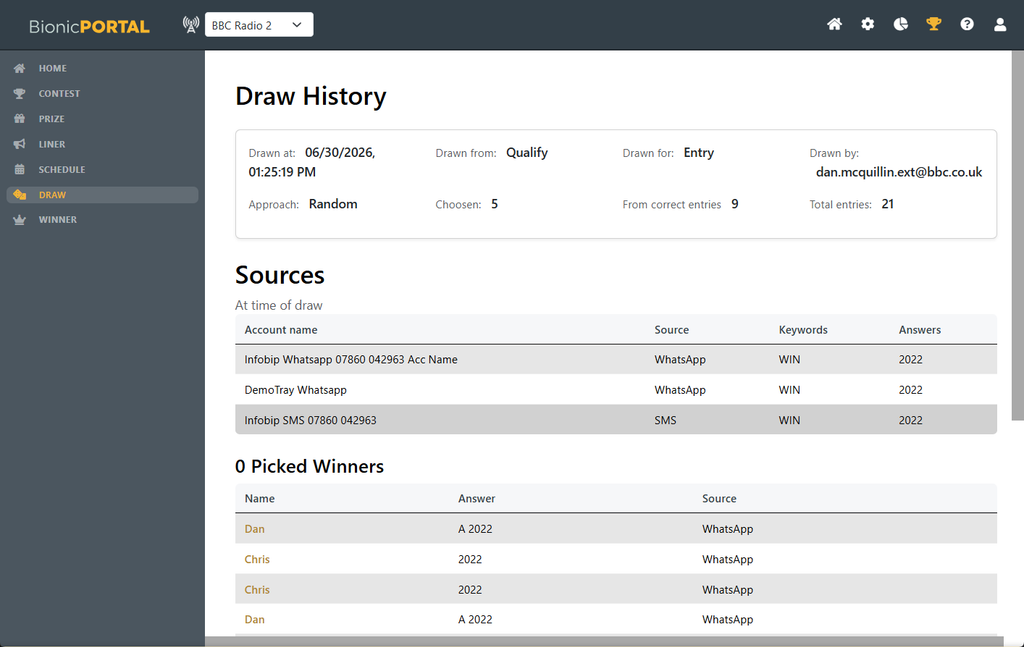
Once a Draw has received entries, you can select winners from the messages collected during its active scheduled periods.
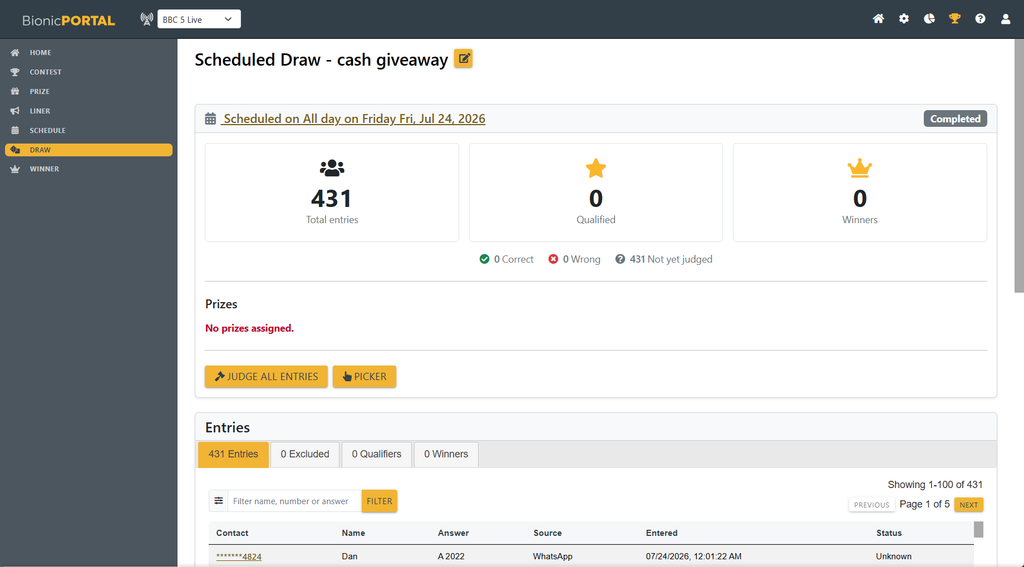
Open the Scheduled Draw and choose Picker to select one or more entry at random from the eligible messages. This is either all messages or all correct messages depending on the mechanic
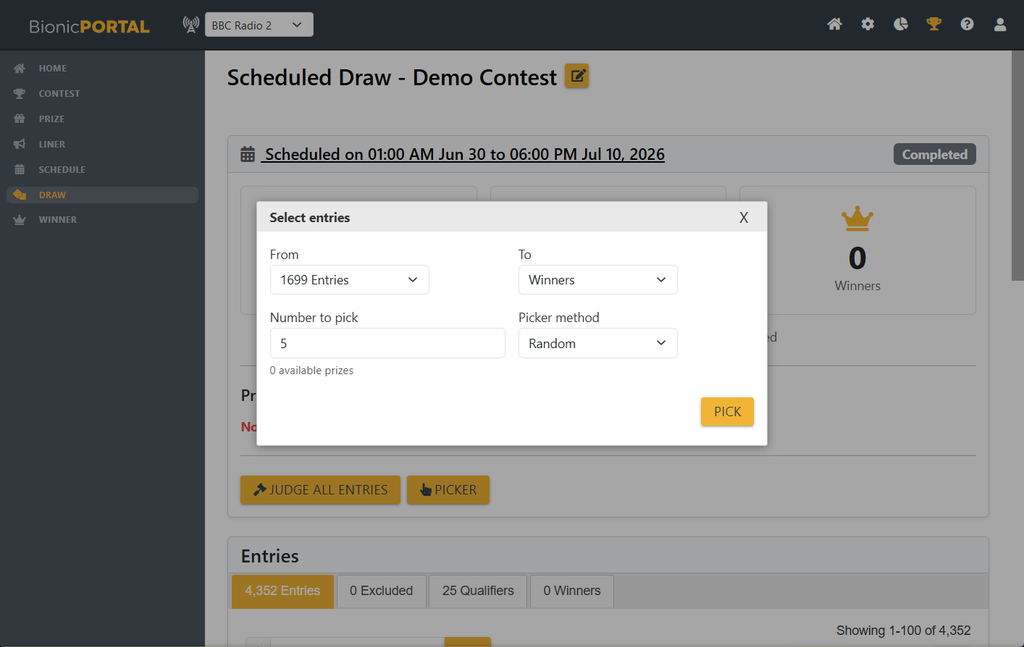
You may pick one or more entries from the valid entries either directly as winners or to the Qualifier stage.
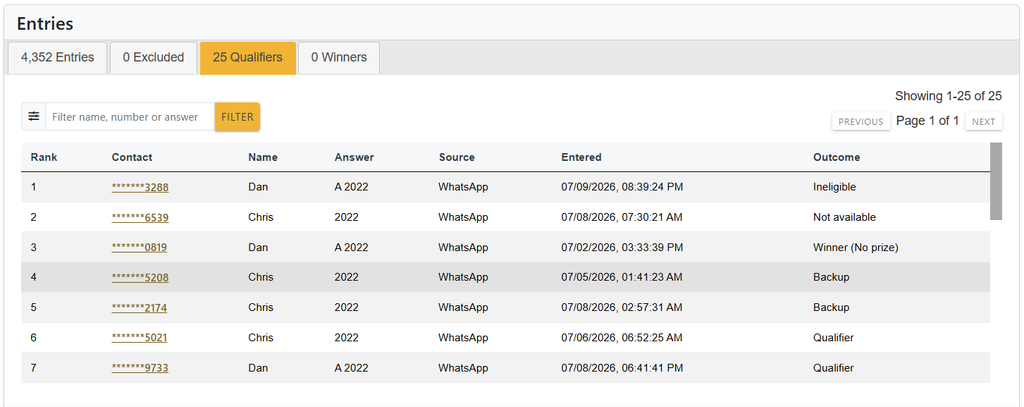
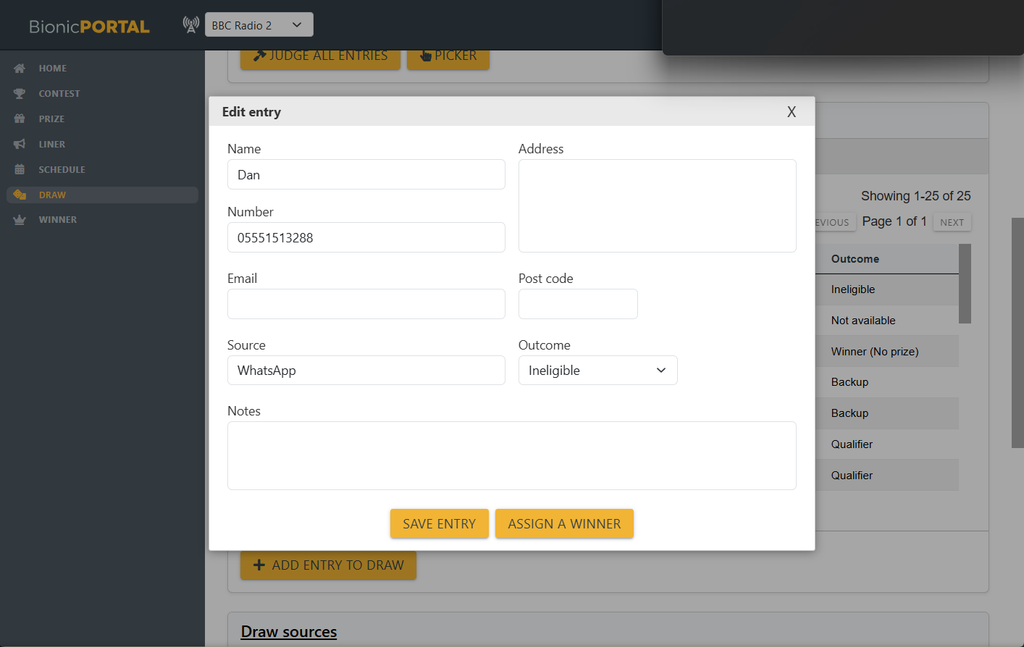
Qualifier messages are shown in rank order of being selected, together with the entrant details and can then be reviewed before being confirmed as a winner.
If the selected entry is not suitable — for example, if the entrant cannot be contacted or does not meet the competition requirements — you can reject it and pick the next qualifier working from Rank 1 (the first picked) onward.
If you need more qualifiers repeating the picker process adds to the end of the currently ranked qualifiers.
- Qualifier
- Backup
- Inappropriate
- Ineligible
- Wrong Answer
- Not Available
- Winner (No Prize)
Outcomes Include :
Once confirmed, the winner is added to the Draw’s Winners list.
The Winners list provides a record of the winners already selected for that Draw and allows them to be reviewed or managed later.
Selecting a winner does not remove or alter the original incoming message. The message remains part of the Draw history, while its winner status is recorded separately.
This means you can retain a complete record of the entries received, the winners selected and any subsequent winner changes.