
Approved blocks can be viewed by changing the status filter from Pending to the appropriate active or historical status.
Open an existing block to review or update its settings.
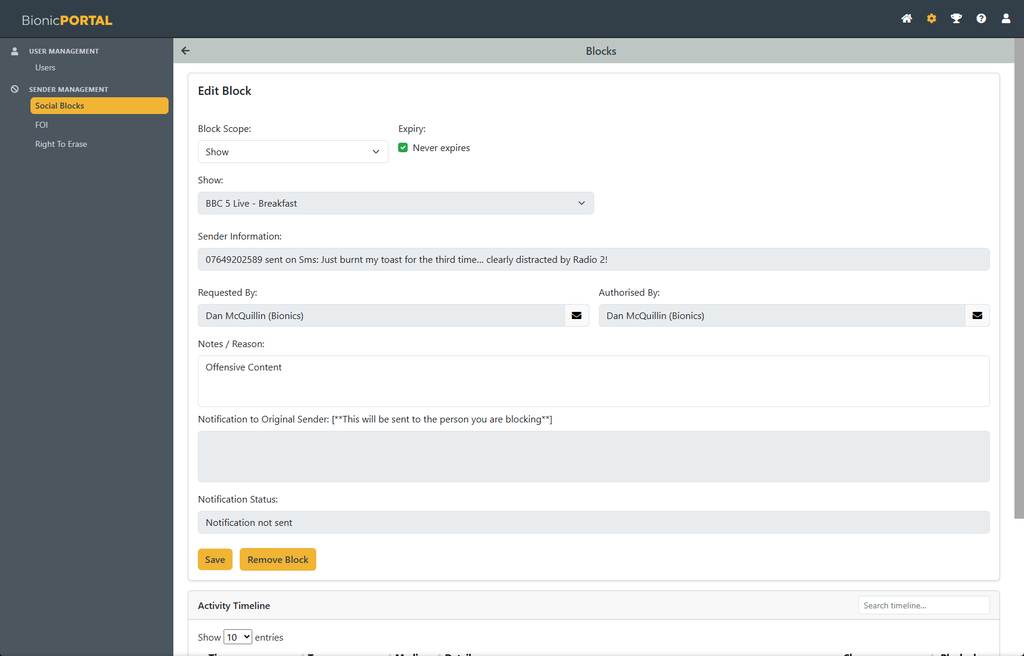
From the block details you can change information such as the expiry or notes, where permitted.
Select Save to retain any changes.
Select Remove Block to stop the block from applying.
Removing a block does not remove the audit history. The previous request, approval and related activity remain available in the timeline for reference.
Block Permissions
Access to Social Block administration is controlled through user permissions.
Users with the appropriate operational permissions can submit block requests from within the system, while administrators with access to the relevant Station or Show can review, approve, reject or remove them.
Administrators can only manage blocks within the areas of the system for which they themselves have permission.